For print shops
Sell AR with every print order.
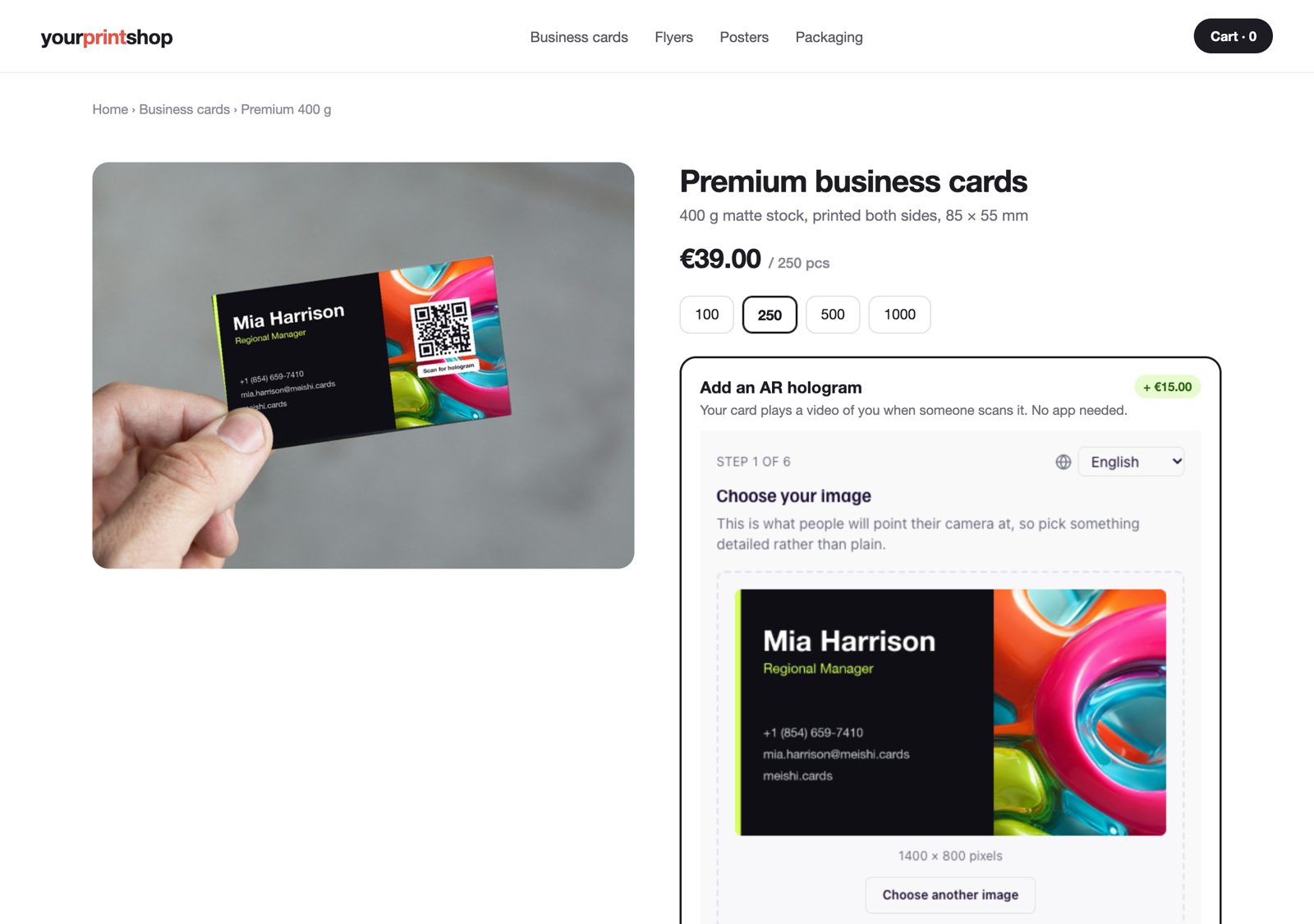
Add the Meishi AR creator to your web shop with one snippet. Customers add a hologram video or a 3D model to their business cards, flyers, posters and packaging while they order — and you sell it as your own upgrade, at your price.
- One snippet, any shop system
- Your price, your margin
- Print-ready file with the QR on it
Why print shops add AR
A new upgrade on every product you already sell
Bigger orders
Offer an AR upgrade next to paper and finish on cards, flyers, posters and packaging. Every order can carry it.
Software margins on print
Your cost is one credit per experience. You decide what the upgrade costs your customer.
A reason to choose you
Most print shops can't offer this. Give customers something the printer down the road doesn't have.
No extra production work
The customer places everything themselves. You get a print-ready image with the QR code already on it.
Sold in your own shop
The creator runs inside your product page. It's your product, your checkout and your price.
Every order in one place
Each experience arrives with your order ID and shows up in your dashboard with its scans.
What your customers can order
AR on everything you already print
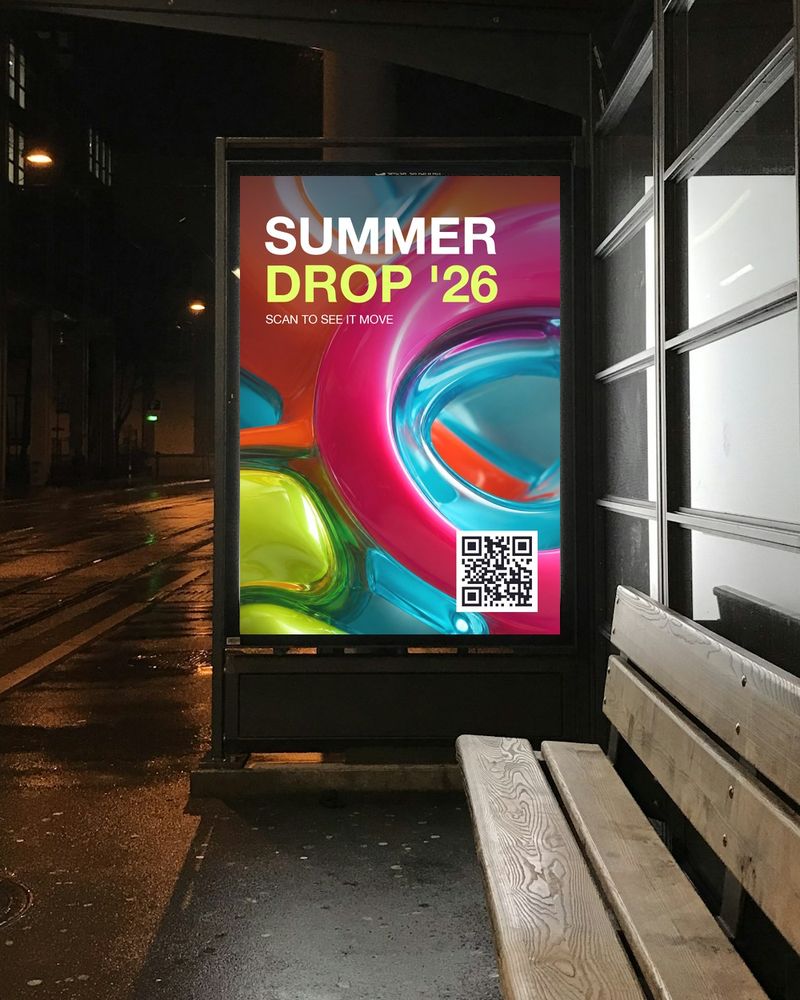
Posters & billboards
A product floats out of the print, with a Shop now button under it.
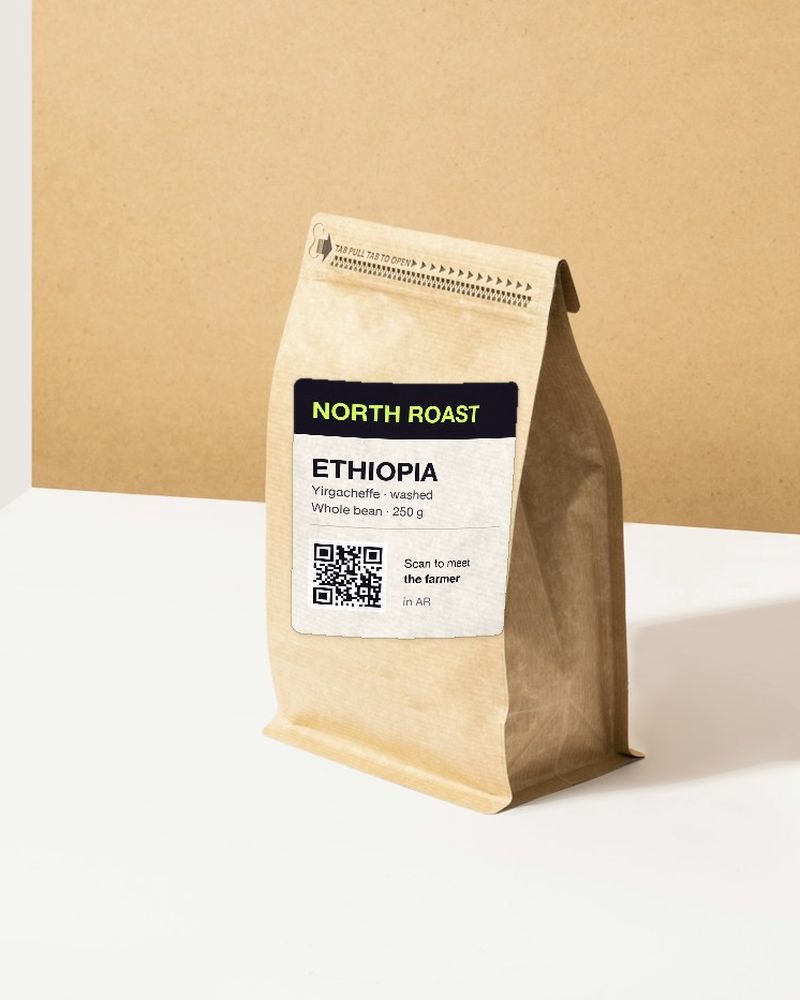
Packaging
The farmer tells the story of the beans, right on the bag.
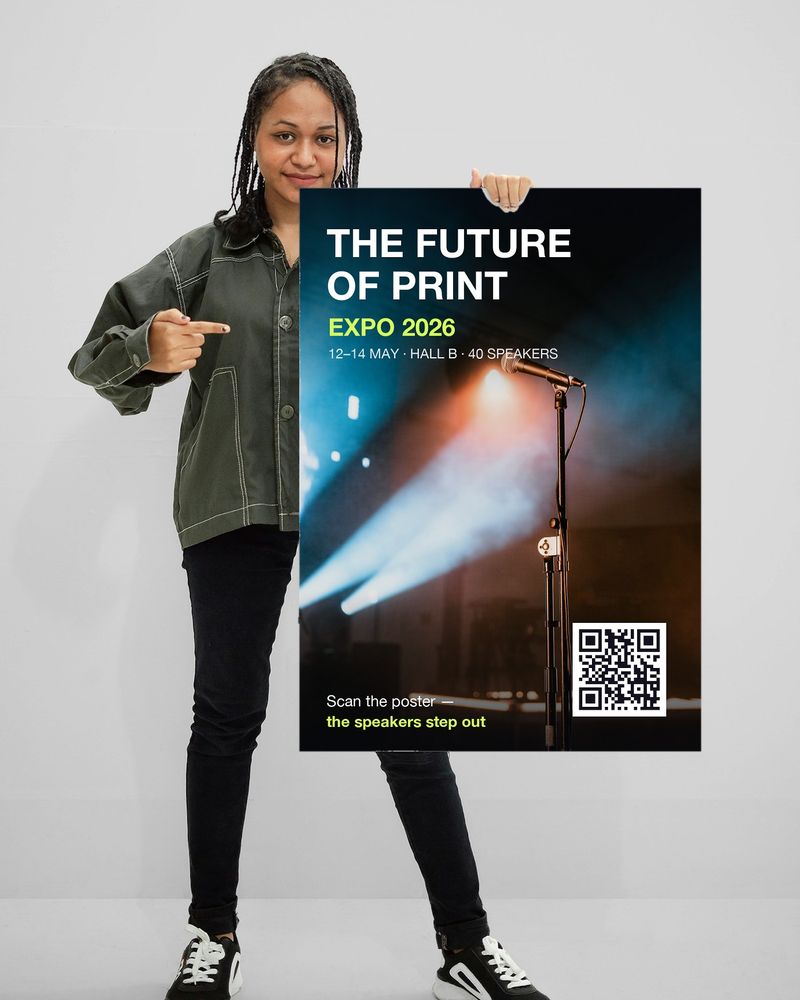
Events & trade fairs
The speakers step out of the event poster and invite you in.
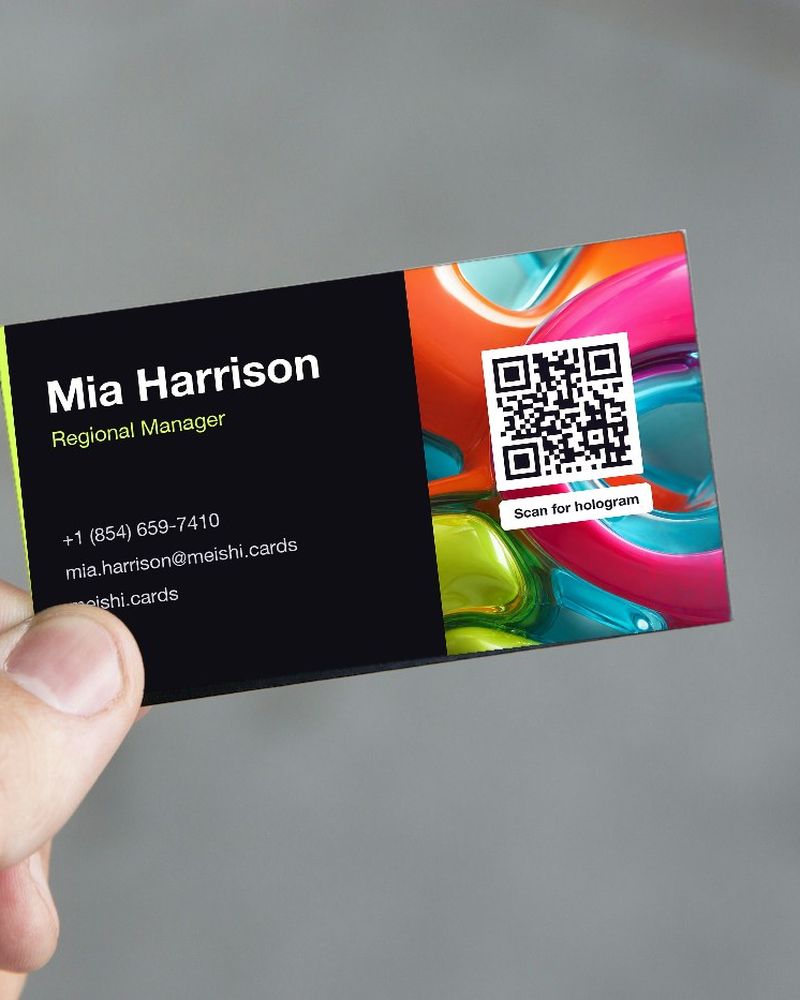
Business cards
Introduce yourself as a hologram, then save the contact in one tap.
The numbers
What one upgrade can earn you
An example with the upgrade priced at €15. You set your own price.
Starting out
5 AR orders a month
You charge: €75
Standard plan: €5.99
You keep
€69
Growing
15 AR orders a month
You charge: €225
Premium plan: €8.49
You keep
€216
High volume
50 AR orders a month
You charge: €750
Business plan: from €35.95
You keep
€714
Plan prices include VAT. Beyond your plan, one-time packs cost from €1.40 per experience.
How it works
Live in your shop in an afternoon
- 01
Get your key
Create a website key in your Meishi settings and list the websites it may run on.
- 02
Paste the snippet
Add it to your product page — HTML, JavaScript or React. It works on WordPress, Shopify and Wix too.
- 03
Customers create
They upload their design, place the QR code and add a video or 3D model — in 11 languages.
- 04
You print
Your shop receives the experience ID, the scan link and a print-ready image with the QR on it.
For your developer
Built to drop into any shop
The setup guide in your Meishi settings shows the snippet already filled in with your key. Copy it, paste it, done.
- Keys only work on the websites you list
- Your order ID comes back with every experience
- Confirm each order on your server through the public API
- Delete a key and submissions stop at once; printed codes keep working
Website integration
Become a Meishi print partner
Tell us about your shop and we'll help you set up your first AR product.